Author: Amir Khan

  • Integrate your Jira’s into ALM Octane

    Integrate your Jira’s into ALM Octane

    Why should you integrate your Jira teams into ALM Octane?

    ALM Octane can help you and your organization to:
    👉🏽identify bottleneck for a release | PI planning, or during sprint execution
    👉🏽highlight cross release/sprint dependency issues, i.e. feature upstream/downstream
    👉🏽integrate, streamline and orchestrate quality for your Jira projects
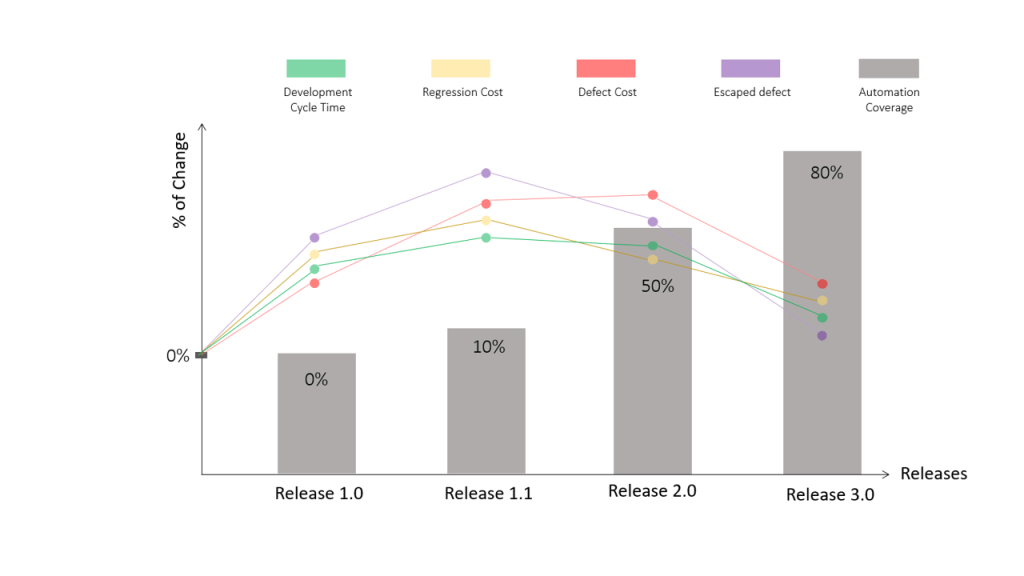
    👉🏽measure the conversion rate from manual to automation for testing
    👉🏽understand teams capacity and utilization
    👉🏽gain governance for all your pipelines/branches and all connected ecosystem
    👉🏽measure automation ROI with all different automation tools
    👉🏽understand how to reduce regression and defect costs
    👉🏽relax and enjoy the morning coffee

    🎥Watch a short demo on YouTube: https://lnkd.in/dnsdqy5

    📣Start your Trial: https://lnkd.in/dyKiVZ2

    🤝Join the Octane Community: https://lnkd.in/djAQ7nZ

    ✍️Subscribe to #Octane#Academy YouTube Channel: https://lnkd.in/dCntqPR

  • Meet Inbal

    Meet Inbal

    Meet INBAL, an automation engineer at a swiss bank. Her challenge is to automate test cases for various technologies and applications, such as web, mobile, desktop & mainframe running on various browsers, devices, and operation systems

    She has been using open source tooling to cover her organization requirements, but struggled to:
    🕣provide unified execution reports for all tests
    🕣manage the complexity of the different tools
    🕣invest time and effort in building page object models
    🕣embed mocks for end-to-end testing

    After we introduced UFT Developer to help her out, she is able to:
    ✔️build a unified report on the test execution flow
    ✔️simulate backend API’s and virtual services
    ✔️design tests based on application models and reducing maintenance effort
    ✔️provide end-to-end coverage for business processes across application

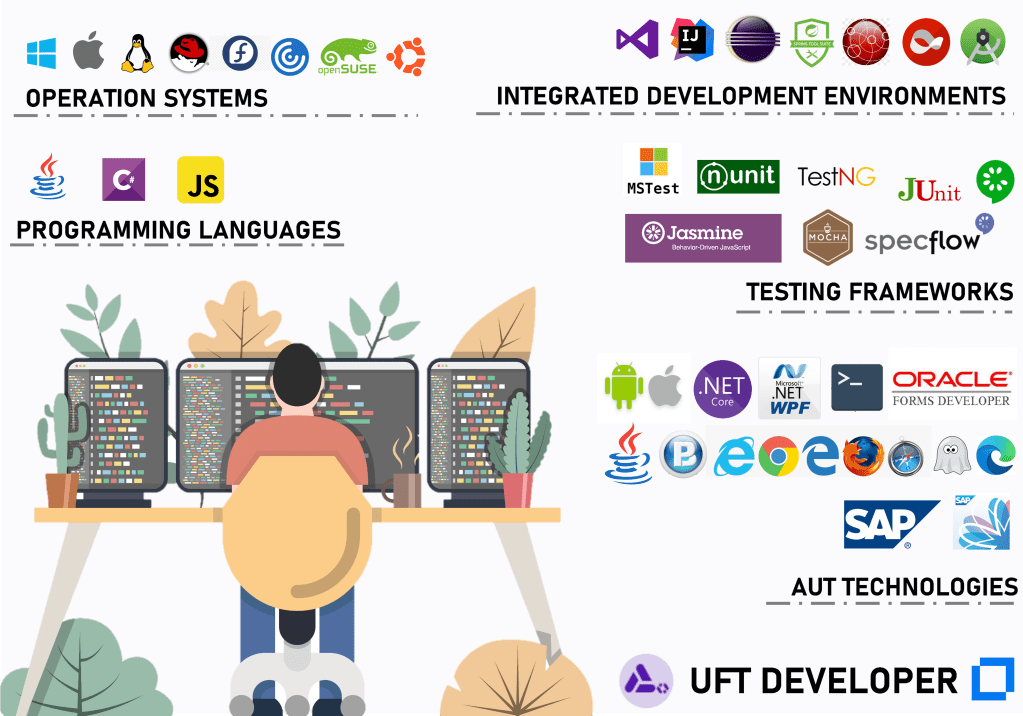
    Shift-left your functional testing using standard programming languages, IDEs, and testing frameworks of choice

    📣Start your UFT Developer Trial: https://lnkd.in/db-tbcy

    ✍️Subscribe to #UFTd#Academy YouTube Channel: https://lnkd.in/dhJpbhM

  • Implementing Waterfall Approach

    Implementing Waterfall Approach

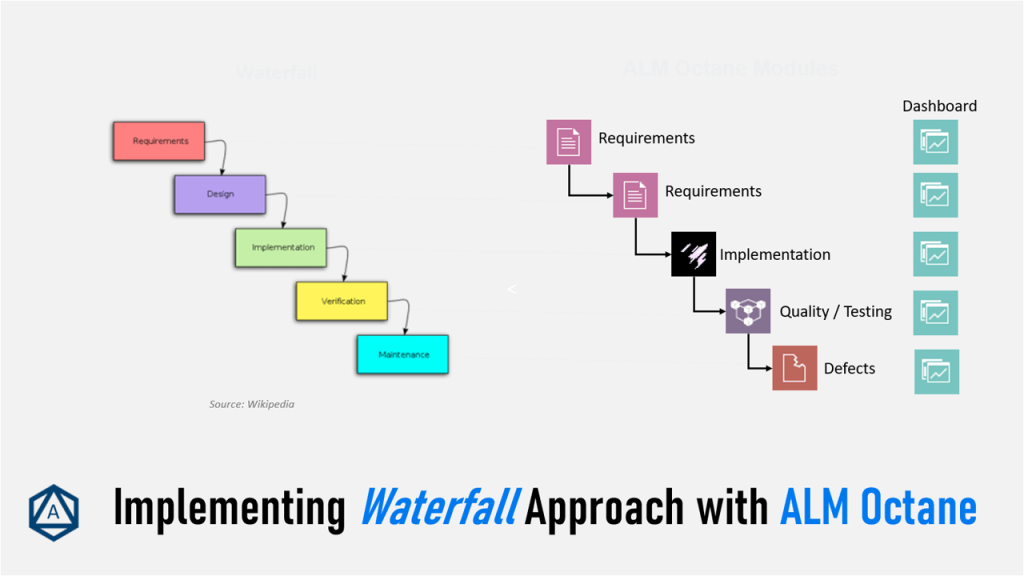
    📢Many customers ask me, how they should use ALM Octane for a waterfall project similar to ALM Quality Center.

    Some of the main concerns are:
    🔹Which modules do I need to use? (In ALMQC we used Requirements, Test Plan, Test Lab and Defects.)
    🔹How to structure Requirements?
    🔹How can I manage Requirement Coverage?
    🔹How can I see Execution Analysis by Release?

    ALM Octane is different from ALM Quality Center but provides all (and much more) capabilities to implement a waterfall approach. While ALM Quality Center is tight to module-aligned work, ALM Octane is more context-driven and provides cross-module capabilities. For example, in ALM Octane you can create tests nearly in every “module” while as in ALMQC it is only possible in Test Plan.

    🎥Learn more on how to manage a waterfall approach on #Octane#Academyhttps://lnkd.in/dQ9u3J4

    📣Start your Trial: https://lnkd.in/dyKiVZ2

    🤝Join the Octane Community: https://lnkd.in/djAQ7nZ

    ✍️Subscribe to #Octane#Academy YouTube Channel: https://lnkd.in/dCntqPR

  • Automation ROI

    Automation ROI

    How do you measure test automation benefits for your projects/organization? What are the KPIs you count on?

    ALM Octane provides a perfect way to measure the return on investment (ROI) through a collaborative and integrative approach. We understand, that your teams have the freedom of choice using any automation tool of their choice #UFTone#UFTdeveloper#Selenium#Cypress#Playwright, etc.). These tools provide value to your continuous delivery process, and ALM Octane helps you understand and highlight it.

    📚Read on the community blog, how to govern and track your continuous testing by continuously measuring automation investment. https://lnkd.in/dyyj_nw

    🎥Learn more on how to use the Automation ROI widget on #Octane#Academyhttps://lnkd.in/d97px4F

    📣Start your Trial: https://lnkd.in/dyKiVZ2

    🤝Join the Octane Community: https://lnkd.in/djAQ7nZ

    ✍️Subscribe to #Octane#Academy YouTube Channel: https://lnkd.in/dCntqPR

  • UFT Family Products

    UFT Family Products

    Which products are part of the Micro Focus UFT Family Product Suite?

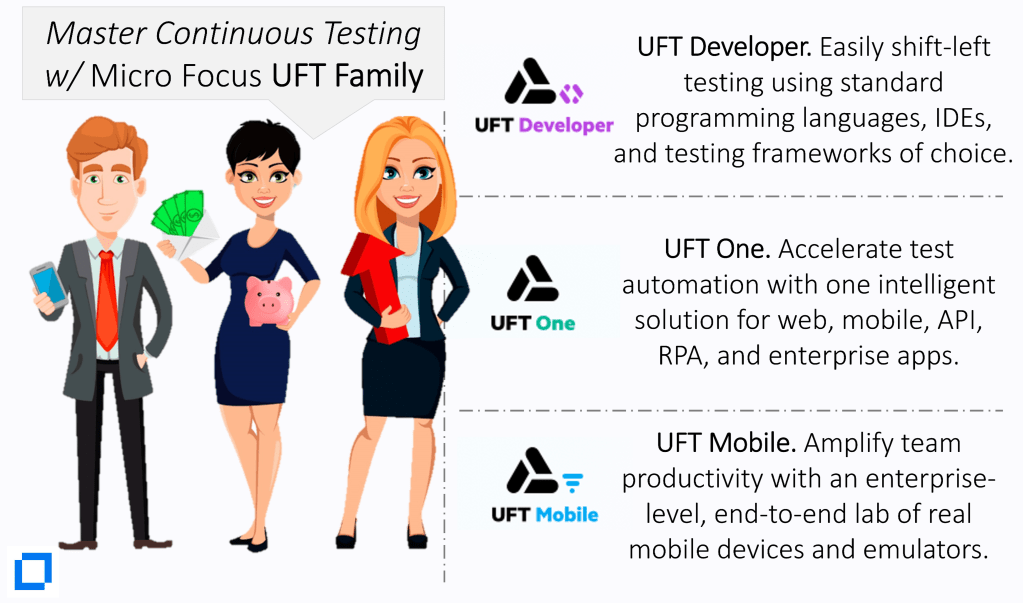
    👉🏼Micro Focus #UFT#One accelerates end-to-end functional testing with one intelligent tool that builds and automates tests for web, mobile, API, RPA, and enterprise apps. With the support of 200+ technologies, UFT One increases test coverage from the #UI to the #API for true omnichannel app testing. Learn more about UFT One: https://lnkd.in/dbt4uwG

    👉🏼Micro Focus #UFT#Mobile amplifies team productivity by providing a centralized, enterprise-level, end-to-end lab and management gateway of distributed #real mobile #devices and #emulators that helps teams develop, debug, test, monitor, and optimize their mobile applications. Learn more about UFT Mobile: https://lnkd.in/dTqCR3s

    👉🏼Micro Focus #UFT#Developer accelerates software delivery by providing a shift-left functional test automation tool that enables easy test creation using IDE, language, and testing frameworks of choice. Designed for #DevOps, it empowers Developers, #Testers and #Automation#Engineers to test earlier while improving code quality. Learn more about UFT Developer: https://lnkd.in/dP8nRNr

  • Meet Jolanta

    Meet Jolanta

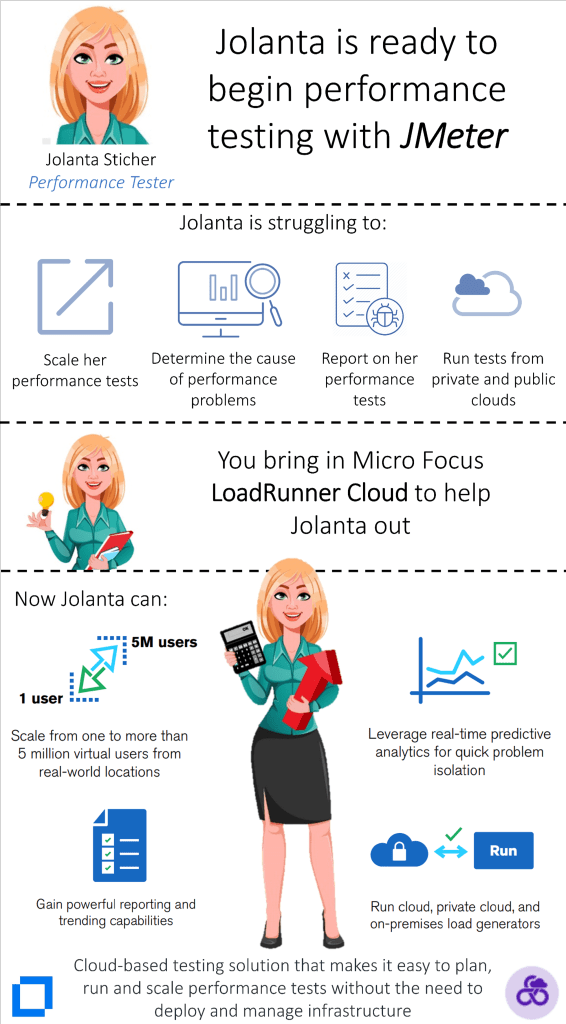
    Meet Jolanta 🙋 – she is a performance tester working on various projects using different open source tools. One of her favorite tools is #JMeter. She is working on a project which needs to roll out a web app for event registration for one of her clients. In the current project, Jolanta has to scale the performance tests to a very high number of virtual users and also involve additional load testing scripts #TruClient#DevWeb#Mobile, and #Gatling). Also part of the projects is to run these tests from different locations, including public/private clouds.

    In her research, she came across LoadRunner Cloud, which she used for performance testing, and gained the following:
    ✔️scaling a large number of virtual users
    ✔️running load from public/private cloud as well as on-premise
    ✔️supporting various tool scripts (JMeter, Gatling, DevWeb, TruClient, Mobile, etc.)
    ✔️providing predictive analytics, powerful reporting, and trending capabilities.

    Thanks to #LoadRunner#CloudJolanta helped her clients to easily plan, run and scale performance tests.

    What about you? Start your Trial: https://bit.ly/32SJclg

  • UFT Developer accelerates continuous testing

    UFT Developer accelerates continuous testing

    Are you struggling with the maintenance of open-source test automation tools? Especially when working with Page Object Model (POM), it takes immense initial work to get started and requires technical skills to maintain it.

    With Micro Focus UFT Developers Application Models, this pain is gone. You can easily build application models very quickly to get started and keep them maintained throughout the application releases. Using Application Models you can also:
    📌locate using the OIC
    📌add tags to test objects to categorize them
    📌search for objects in the Search box
    📌highlight the object in your application
    📌perform basic editing options
    📌add Visual Relation Identifiers
    📌many more.

    📃Learn more and download the UFT Developer Datasheet: https://lnkd.in/dchVB29

    📣Start your Trial: https://lnkd.in/db-tbcy

    🤝Join the UFT Developer Community: https://lnkd.in/dVPqSsn

    ✍️Subscribe to #UFTd #Academy YouTube Channel: https://lnkd.in/dhJpbhM

    #uft #microfocus #teammicrofocus #junit #testng #nunit #visualstudio #intellij #java #csharp #javascript #eclipse #androidstudio #jboss #linux #macos #windows #selenium #junit #mocha #jasmine #cucumber #specflow

  • Accelerate Application Delivery

    Accelerate Application Delivery

    Micro Focus #Enterprise #Devops integrates seamlessly into various market solutions and allows your organization to accelerate your application delivery process with high quality and speed at the lowest risk.

    👉🏽With Agile tools for team collaboration, the product suite help teams collaborate effectively and manage projects more efficiently by executing tasks while delivering the highest quality software on time.

    👉🏽Use DevOps tools to ensure quality and accelerate Agile dev and delivery. Track pipeline coverage. Perform analysis and tests to identify risk.

    👉🏽Reduce integration costs and achieve value flow by managing DevOps tools with a delivery pipeline that connects to your IDE, CI & CD systems.

    👉🏽Scale Agile processes beyond the team level by supporting 1000’s users, and 3rd-party frameworks; accelerate delivery, and maintain governance.

    👉🏽Real-time status into CI & CD. View changes, identify the root cause of failures, and track commits associated with specific user stories & defects.

    📌Learn more about Micro Focus Enterprise DevOps: https://lnkd.in/dfh3wPe

    Accelerate application delivery with Micro Focus Enterprise DevOps
  • Enterprise Agile

    Enterprise Agile

    ALM Octane can scale your Agile process to the entire Enterprise. It is architected to support thousands of concurrent users with customized workspace configurations and corporate level visibility and support for Safe 4.0, DaD, Spotify, etc. ALM Octane maintains high levels of governance and compliance while accelerating delivering. The integration with Project and Portfolio Management Center (PPM) helps teams make more informed portfolio investment decisions. The integration supports creation of portfolio epics in PPM and execution in ALM Octane.

  • Make DevOps a reality with ALM Octane

    Make DevOps a reality with ALM Octane

    Quality is a foundational tenet of ALM Octane. It supports a variety of testing types and frameworks, including manual, Gherkin, and automated tests. Leverage your existing test assets by importing manual tests and using SCM to reuse relevant automated tests. Testing results (UFT, Selenium, Performance Center, etc.) are visible in the dashboard. The Pipeline module collects build, test run, and commit information to more effectively analyze quality, measure progress, identify change impact, and determine code coverage.