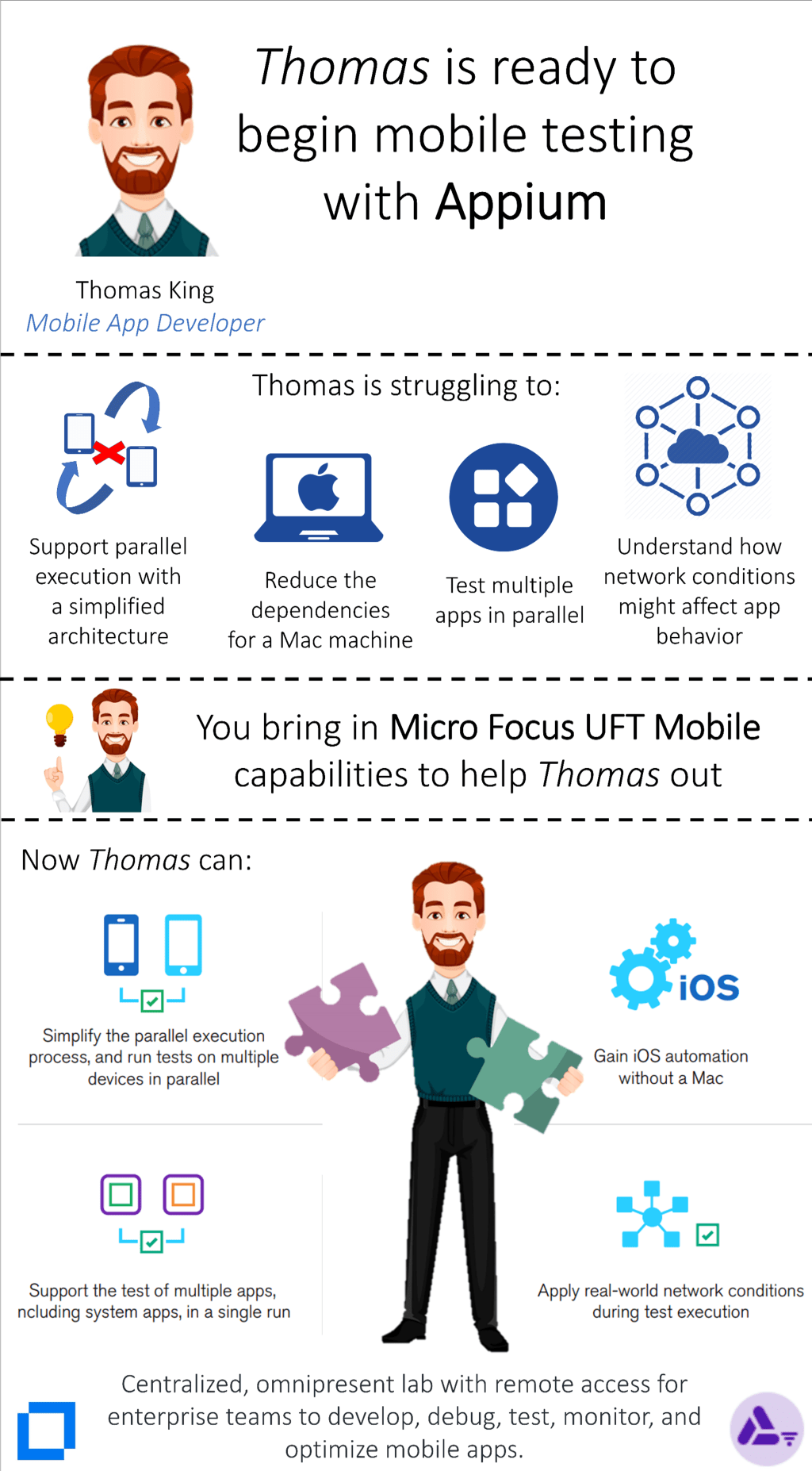
Micro Focus UFT Mobile provides an end-to-end quality lab of real devices and emulators that help you test, monitor, and optimize your mobile apps for an enhanced user experience.
🚀Increase team productivity Enterprise lab and management gateway with remote access to real mobile devices and emulators to support continuous testing of omnichannel apps.
🕚Accelerate dev and testing velocity Remote development, debugging, and testing with preferred IDE/tool and services, sensors, interfaces, and network virtualization.
📉Reduce overall spend Integrations with open source automated testing tools such as Appium and Selenium reduce costs and lower technical barriers.
🔄Drive continuous improvement Analyze availability and performance via production monitoring, utilizing Micro Focus UFT One, VuGen, and BPM.
It is a sad reality, that many businesses are still relying on manual processes, despite the advancements in digital technologies. A lot of companies believe that, automation require a significant investment and can be done only with employing highly skilled IT Architects or Engineers. Hence they continue to do it manually, and their employees productivity is being wasted with performing boring repeated tasks , such as entering data into an Excel sheet or some apps , and by manually cutting and pasting data into different systems.
What, if you have solutions, which can save your employees time and involve robots to enter data into systems automatically just like a human , and is also at an affordable cost and easily maintainable by your business teams. Would you not grab the chance and use your staff’s productivity to perform highly valuable tasks and to address your customer needs proactively ?
Please watch this RPA video and think of automating some of the manual processes in your business.
Data Migrations have become one of the most challenging initiatives for IT managers.
It is challenging, whether you are migrating data from legacy systems to a new system or from one vendor’s software to another vendor or even from on-premises to the cloud.
How do you migrate data from legacy systems to modern SaaS like Salesforce and still ensure the functionality and performance of your app is better even after the migration ? I have presented my thoughts on Continuous Testing solution for data migration projects in this video. Please watch and provide your inputs.
In the previous post, we looked at how to run UFT Developer tests using standalone mode. Here, I will explain how to run UFT Developers tests in execution mode. This article is intended for UFT Developer practitioners and automation test engineers, solution architects to understand the working & benefits of UFT Developer using execution mode.
Prerequisites
Setup Linux OS in a standalone machine or virtual machine
Pull UFT Developer docker image with chrome browser
You can pull the latest UFT Developer image from docker hub using one of the below commands. UFT Developer offers ready to use docker images with browser preinstalled saving additional step of installing browsers on containers.
//UFT Developer docker image with chrome docker pull functionaltesting/leanft-chrome//UFT Developer docker image with firefox docker pull functionaltesting/leanft-firefox //UFT Developer docker image without any browser docker pull functionaltesting/leanft
Pull Autopass License Server (APLS) docker image
Pull latest APLS using below command and apply license OR use existing APLS already in use
docker pull mfsharedtech/apls
Create JAR file
Create JAR file for your test project using maven
mvn clean install
Run UFT Dev container
There are 2 modes of executing UFT Developer tests a) Standalone b) Execution. Understand the difference between the modes in the video below or here. To run the UFT Developer container in execution mode run the below docker cmd
docker run -it -p 5900:5900 --add-host=license-server:<IP address of APLS> -e RUN_MODE=junit -e RUN_CMD="<class name>" -v <path to jar file containing your tests>:<container directory to map tests> -w <working directory> --name=<UFT Developer container name> --net <network name> functionaltesting/leanft-chrome
Configure Network
This is optional step if you used the –net option in previous step. If not, then you can use below command to configure the network
When we start UFT Developer container, license validation is done with APLS and UFT Developer engine starts running within the container. UFT Developer engine executes the tests in the JAR file that is mapped to container folder on application under test. Tests are executed in the containers and at the end of the execution the container automatically stops. HTML report of the results can be found in the same location as the JAR file in the host machine.
Demo
Running UFT Developer Tests using docker containers in execution mode
Benefits
Automation is resilient to deployment failures
Tests are running in the background inside the container and not on the host machine where you can continue to work
Container as a technology has matured over the years and mainstream adoption has increased. It is time organizations started to leverage the power of containers in the area of functional test automation as well. I will use UFT Developer container to explain & demonstrate how you can setup and execute your tests using docker container. UFT Developer helps you develop automated tests for a wide range of technologies, using standard IDEs with modern programming languages aligning with shift left approach to test automation.
Prerequisites
Setup Linux OS in a standalone machine or virtual machine
Pull UFT Developer docker image with chrome browser
You can pull the latest UFT Developer image from docker hub using one of the below commands. UFT Developer offers ready to use docker images with browser preinstalled saving additional step of installing browsers on containers.
//UFT Developer docker image with chrome docker pull functionaltesting/leanft-chrome//UFT Developer docker image with firefox docker pull functionaltesting/leanft-firefox //UFT Developer docker image without any browser docker pull functionaltesting/leanft
Pull Autopass License Server (APLS) docker image
Pull latest APLS using below command and apply license OR use existing APLS already in use
docker pull mfsharedtech/apls
Run UFT Dev container
There are 2 modes of executing UFT Developer tests a) Standalone b) Execution. Understand the difference between the modes in the video below or here. To run the UFT Developer container in standalone mode run the below
docker run -it -p 5095:5095 -p 5900:5900 --add-host=license-server:<APLS IP Address> -e LFT_LIC_ID=<License ID from APLS> -e LFT_LIC_ID_VERSION=<License ID Version from APLS> --name=<UFT Developer Container Name> --net <Network Name> functionaltesting/leanft-chrome
Configure Network
This is optional step if you used the –net option in previous step. If not, then you can use below command to configure the network
Configure your test to run the test in the container
Open your UFT Developer test in Intellij and edit the UFT Developer host entry in leanft.properties file to point to UFT Developer container and 5095 port (default port for UFT Developer).
Execution Flow
When we start UFT Developer container, license validation is done with APLS and UFT Developer engine starts running within the container. UFT Developer engine waits to receive the commands and execute the automation steps on application under test. When we execute a test from CLI or IDE, the steps are passed to the UFT Developer engine for execution. After completion of the test, HTML report of the results can be found in the test workspace.
Demo
Running UFT Developer Tests using docker containers in standalone mode
Benefits
Automation is resilient to deployment failures
Tests are running in the background inside the container and not on the host machine where you can continue to work
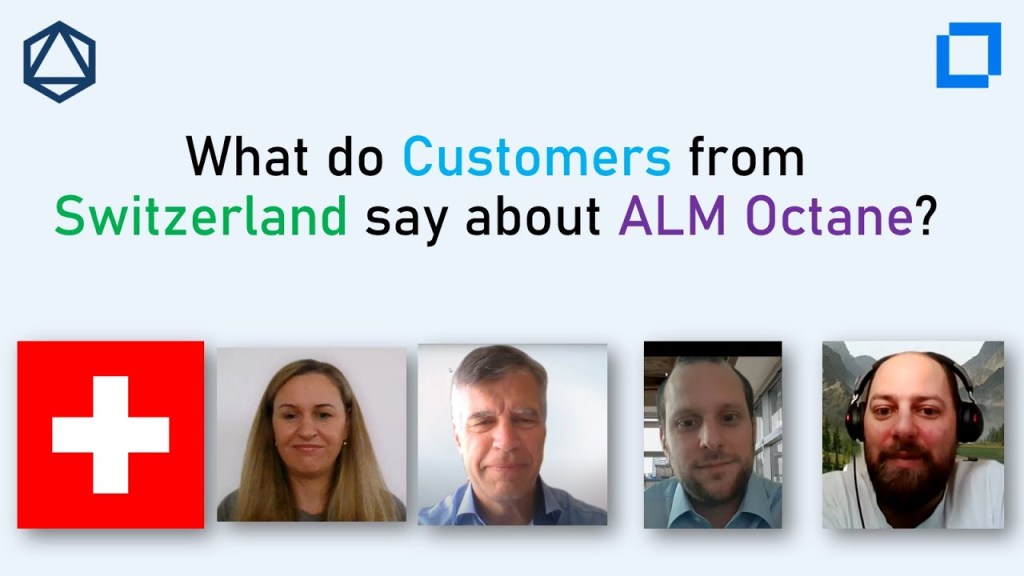
What makes a product a great product? Is it user experience, ease of use, integrations, dashboards, reporting? You can have all of this, but if your customers don’t enjoy working with your product, it won’t be a great product. Continuous feedback from our customers has made ALM Octane the platform that it is today. Listen to this collected feedback by real users.
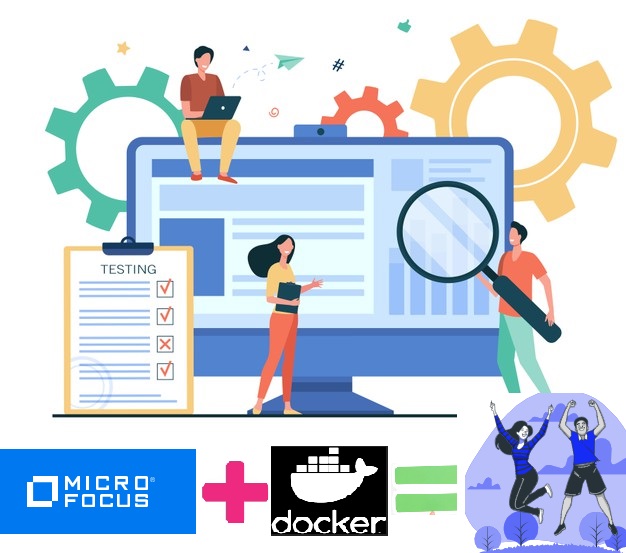
Development and deployment teams are increasingly adopting container technology to accelerate application delivery within continuous integration, deployment & delivery practices. These teams are using containers in the context of simplified application development/deployment (the image building process) and runtime environments (container execution).
Interestingly enough, while testing teams are constantly being challenged to accelerate testing cycles and deliver more value with limited resources, the majority of testing teams are still playing catchup in the adoption of containers. As the saying goes, “A chain is only as strong as the weakest link”; testing teams should look to modernize the testing practices using container technology to keep pace with development teams. Containers bring significant value to the world of testing. The key benefits organizations can recognize by adopting containers in their enterprise testing strategy are:
Reducing the time and cost of building your testing environment
Reducing the Infra footprint and maintaining costs
Accelerating test execution times and reducing overall test cycle time
Improving resiliency
Containers enable adoption of lean continuous testing practices
Reducing the time and cost of building your automation tool environment
Containers make it easy to deploy new versions of software into production quickly and to quickly roll back to a previous version on need basis. They also make it easier to implement strategies like blue/green deployments. Unfortunately, there is typically a manual process for setting up test automation tools, which slows the process and makes establishing test environments more error prone. Test automation tools and their dependency libraries & frameworks should be packaged into containers in order to remove the bottleneck and risk. Because the process of building containers can also be automated, it solves the challenge around manual and error prone testing tool deployments. Containers can also facilitate upgrading versions of the testing tools very easily by switching to newer version of the containerized testing tools.
Reducing the Infra footprint and maintaining costs
Instances of containerized apps use far less memory than virtual machines and can be packed more densely on their host hardware. All of this amounts to less spending on IT infra. In the testing context, one has to maintain the testing tool host machines even when the tests are not run. With containers, you don’t have to maintain the containers after the test execution is over which provides high savings in infra costs. Containers are also good with resource utilization since they consume and share the underlying resources of the host machine providing cost savings to testing organization. One example here would be that of performance testing requiring large resources for short durations. Using containers to spinup ondemand load generators can bring cost savings to organizations. Another example is to use of virtualization of application services which again donot need to be available all the time. Containers can be dynamically spun up on demand with necessary virtual services and brought down after their usage can be another scenario of reducing infra maintenance cost.
Accelerating test execution times and reducing overall test cycle time
Containers are very easy to port and scale across multiple environments. If you had shorter testing timelines (which is almost always the case J) and wanted to run multiple tests at the same time, you will need multiple hosts with test automation tools installed and properly configured. In this traditional approach, scaling is a challenge as you cannot instantiate multiple instances of the host on the fly. With containers, organization can spin up multiple containers almost instantaneously and enable parallel execution of tests reducing test cycle time and overall delivery.
Improving Resiliency
Applications in containers will run the same, regardless of where they are deployed (multiple different operating systems and hardware platforms). If the host machine containing the test automation tool crashes for whatever reason, you have to either redo the manual steps to install the software again or restore backup causing delays to testing cycles and delivery. Test cycles can last for hours a crash that disrupts an nightly build test cycle can set the team back. Using containers, after a fail is detected, a new environment can be constructed automatically and not cause a bottleneck. Creating and managing containers is super-fast and easy (starting and shutting down). It is also repetitive and if there are situations where the host crashes or unavailable, you can spin up new containers easily and pick up from where you left off without much delays in deploying a new host.
Clearly in a continuous testing scenario, you can see there are significant benefits to deploying the test automation tools in containers just like the containerized applications as highlighted above.
Micro Focus enables DevOps and Continuous testing using containers
Commercial Automation tools have started to offer official container images for their respective automation tools in the registries. Clearly the organizations that adopt containers will have technology edge and will provide more value and bang for the buck. Enterprises should start to relook at their landscape to see how their test cycles are operating today and make containers part of the testing strategy. Docker is one of the popular container technology out there among the lot. Over the years, other container technologies (rkt , RedHat OpenShift, mesosphere ) are also maturing but docker is by far the largest in terms of container adoption.
Micro Focus is a leader in lifecycle, functional and performance test automaton for 2 decades with its marquee tools like Octane, ALM, UFT Family and LoadRunner. Let’s see what Micro Focus has been offering from its stable of products from containers perspective.
UFT One is an end to end (GUI, API testing), intelligent (Artificial Intelligence) test automation solution that covers applications in mainframes, web, desktop, mobile & packaged apps.
UFT One is available as docker container in Windows. It is also available as a hypervisor image. Having a docker image speeds up UFT One maintenance and test runs
What can you test in UFT One docker images:
UFT One’s Docker image enables you to run mobile tests in a Windows Docker environment, using UFT Mobile and UFT One automation scripts.
The UFT One 15.0.1 docker image also supports running API tests in a Windows Docker environment. Test applications in docker using docker activities under API testing of UFT One. Download docker image of your application and then start container on the fly to start testing and then shut it down at the end of the test. Reference: Run Docker Commands from UFT One
You could also use Jenkins to trigger the tests in UFT One docker containers
UFT Developer embeds testing capabilities within IntelliJ, Eclipse and Visual Studio, allowing developers to shift testing left by creating tests at the same time they develop software applications. It supports common technologies, languages, IDEs, operating systems, source code management tools and continuous integration tools.
UFT Developer provides Docker images enabling you to run your tests in Docker containers.
UFT Developer docker container currently supports running all Web and mobile applications
There are 2 modes of executing scripts using UFT Developer: Standalone and Execution. In standalone mode your tests are run remotely in docker containers while in execution mode your test reside in a location accessible from within container.
UFT Mobile extends UFT One and UFT Developer automated functional testing to mobile devices. It offers remote access to mobile devices through a centralized mobile device lab, with controlled access across the entire organization.
UFT Mobile is available as a docker image in docker hub. The PostgreSQL database used by UFT Mobile is not included in the UFT Mobile server image. The PostgreSQL database can also be pulled from the docker hub
ALM Octane is modern hybrid lifecycle management solution purpose built for DevOps and agile teams to accelerate and manage their application delivery.
ALM Octane has linux based docker image available to download from docker hub (currently in tech preview)
There are 2 stable versions of images – One image has on-prem bits. Another image has bits we used to deploy to the Octane on Micro Focus SaaS. There is another beta version and alpha version
Service Virtualization eliminates testing “wait time” by creating realistic simulations of APIs and application services.
There is both a linux and windows docker support for Service Virtualization. All three components of SV Server, SV Management and Lab server are dockerized
Autopass License Server (APLS) is a central solution for managing Micro Focus Software product licenses. It helps you organize and manage your product licenses, server users, and client users.
LoadRunner family is gold standard for performance testing applications. LoadRunner family enables you to test the performance of diverse application types, and to identify and resolve issues before applications go live.
You can run load generator hosts inside Docker containers, using Linux or Windows dockerized load generator images.
You can scale up and down elastic load generators using K8S and Swarm for orchestration and managing docker containers.
There are other products like ALM/QC for which there is no official image in docker on date of publishing this article but one can easily custom build one. There is KB article available that customer can refer and it is available in the Micro Focus Support site. Reference: https://softwaresupport.softwaregrp.com/doc/KM03692383
It has been a tough year, which is coming to an end. 2020 was a challenging, but also a very successful year for Micro Focus. We have launched many releases with great content across our software portfolios. We received great feedbacks, commitments and appreciations from our customers, partners and the community. 5 years ago, ALM Octane was a visionary product and today, it is the backbone of many organizations software delivery process. We are grateful for the loyality, belief and trust our community has put in Micro Focus ALM Octane and we THANK YOU for this commitment! Here are some of the faces behind the amazing product ALM Octane appreciating your commitment throughout a very successful Year 2020.
wie viele von Euch bereits gehört haben, hat Atlassian die Produktreihe “Server” zum 02.02.2024 für die meisten Produkte (Jira, Confluence, etc.) vollständig einzustellen – schon ab dem 02.02.2021 treten dabei erste Änderungen in Kraft. Ich habe die wichtigsten Termine auf der Timeline nachfolgend kurz zusammengefasst:
Ab 02.02.2021: Keine neuen Server-Lizenzen erwerbbar
Ab 02.02.2021: Preiserhöhungen für Produktreihen Data Center und Server
Ab 01.05.2021: Hersteller können keine neuen Apps auf den Atlassian Marketplace stellen
Ab 02.02.2022: Keine Usertier-Upgrades & -Downgrades möglich
Ab 02.02.2023: Keine neuen Server App-Lizenzen erwerbbar aus dem Atlassian Marketplace
Ab 02.02.2024: Server- & Apps werden nicht mehr von Atlassian supportet
Nun stehen seitens Atlassian folgende 2 Optionen für alle Jira Server Kunden zur Wahl:
Migration in die Atlassian Cloud
Migration zu On-Premise Data Center
Falls ihr Euch für eines der beiden Migrationspfade entscheidet, solltet ihr folgendes beachten. Für Cloud Migration gilt:
Wichtige Security Themen mit eurer IT Security abklären, u.a. User & API Access, Zugriff auf Eure Daten durch dritte, Marketplace Apps und Ihre REST APIs, etc.
Die REST API auf Cloud vs On-premise is komplett unterschiedlich, sprich:
Plugins die auf On-premise verfügbar sind und nicht auf der Cloud
Die Integration basierend auf REST API müssten komplett angepasst werden
Alle Reports basierend auf REST API müssten komplett angepasst werden
Die Daten von Jira Server müssten in die Atlassian Cloud migriert werden, je nach Version + Plugins kein schönes Erlebnis.
Atlassian Cloud Ansatz “you get what you’re given” passt nicht jedem, wie z.B. Changes in Betrieb übernacht
Wichtige Audit Themen mit eurer IT Audit abklären
Administrative Restriktionen, wo Jira Support benötigt wird, welches einfach umgesetzt worden sind auf dem Jira Server
Integrationen mit On-premise lösungen wir Jenkins, Teamcity, IntelliJ, Git, nicht stets stabil – Im PoC verifizieren
Jira Server stand nicht immer für die besten Performance Erlebnisse, daher auch die Atlassian SLA’s genauer unter die Lupe nehmen
Für Data Center Migration gilt:
Migrationsaufwände geringer als in die Atlassian Cloud
Data Center Lizenzen und Deployment sind um ein vielfaches teurer
Beim Einsatz der eingebetteten HSQL Database muss eine Migration auf einer externen Database (welche durch Data Center supportet ist) stattfinden.
Falls nun keine dieser Optionen für Euch ein gangbarer Weg ist, gibt es noch eine 3 Option. Migration Eurer Jira Server Projekte nach ALM Octane und dafür gilt:
Ihr könnt zwischen On-premise oder SaaS Betriebsmodellen wählen. On-premise beinhaltet auch den support für eure private clouds auf Microsoft Azure oder AWS.
Für den Betrieb auf Docker stehen Docker Images für ALM Octane bereit.
ALM Octane Developer Lizenzen deckt die komplette Jira Software Komponente aus Feature und Pricing Sicht gut ab, mehr Infos hier.
ALM Octane unterstützt 2 Lizenz Modelle: Named vs Concurrent User
In einem detailierten PoC mit Euch untersuchen wie eine Migration von Jira nach Octane durchgeführt und umgesetzt werden kann.
Micro Focus Customer Success, Partner und lokales Team unterstützen und beraten Euch bei der Jira Migration nach ALM Octane.
Wenn ihr heute Jira und ALMQC im Einsatz habt, könntet ihr durch den Einsatz von ALM Octane auch infrastruktur Kosten für Jira und ALMQC Betrieb komplett einsparen
und natürlich solltet ihr auch hier die Security und Audit Themen mit Eurer IT Abteilung verifizieren
Terminlich könnt ihr ab sofort loslegen, je früher desto besser!
Falls ihr ein Meeting bzgl. dieses Thema mit uns wünscht, gebt mir bitte Bescheid.






 Embrace-DevOps